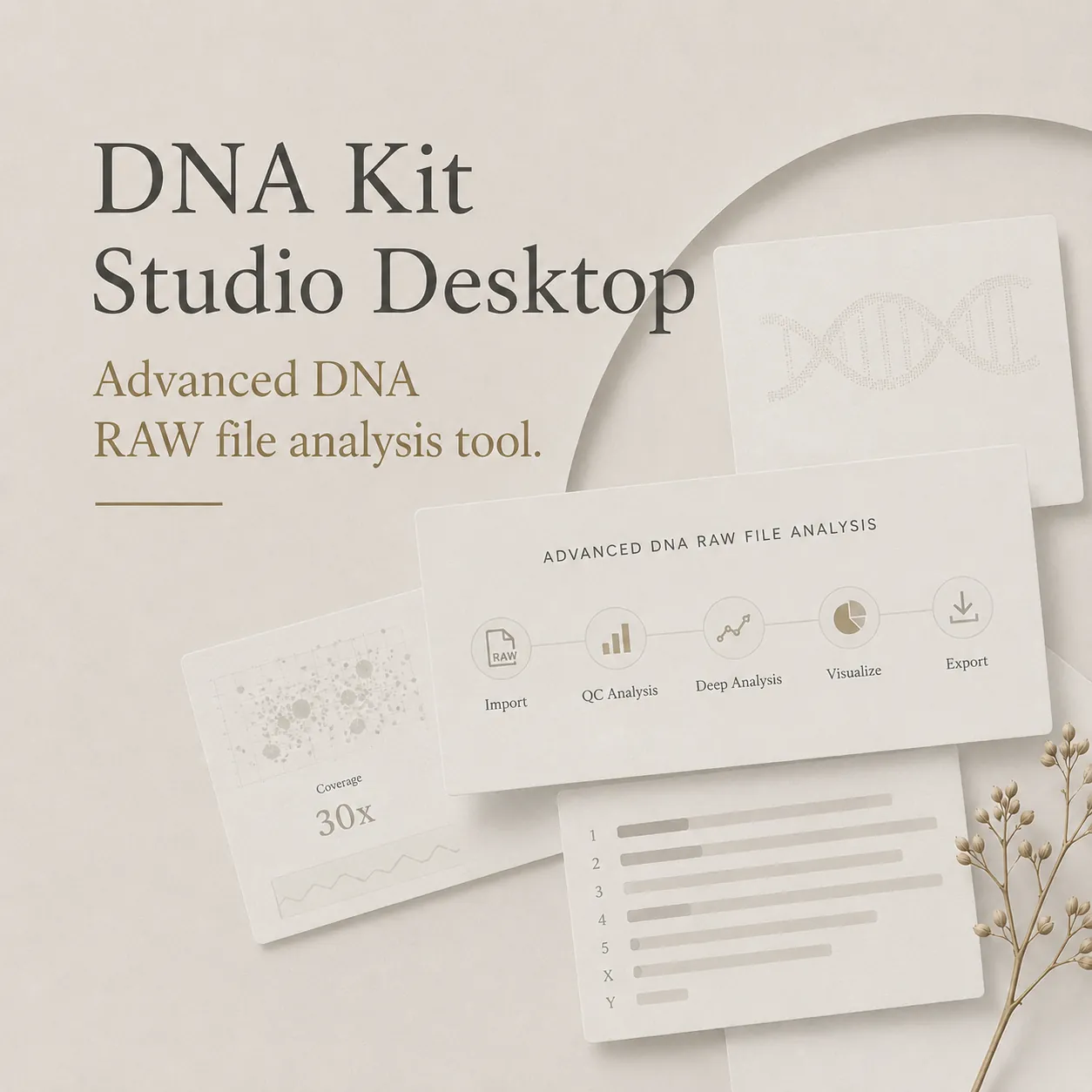
Admixture Studio
Chart the untold story written in your DNA.
Turn raw genetic data into model-based component estimates, population signals, and publication-ready visuals, built for curious minds exploring their genetic data.
Your genome isn't a spreadsheet.
It's a voyage.
Reveal ancestry composition with clarity, not guesswork.
Every DNA test tells you percentages. But what do they mean? Where do those numbers come from? And how can you dig deeper?
Admixture Studio turns raw genetic data into visual comparisons across selected reference populations. Inspect statistical clustering, explore which references are nearer under the selected method, and review the assumptions behind each result.
Whether you're confirming family stories, exploring unexpected connections, or simply curious about your heritage?this is where the real discovery begins.
From raw DNA to meaning
A simple 3-step process to discover your detailed ancestry
Bring your data
Upload your raw DNA file from 23andMe, Ancestry, FTDNA, or any major testing service. Upload once, re-run analyses any time.
Run admixture analysis
Choose from dozens of ethnicity calculators. The analysis runs locally on your computer?your DNA never leaves your machine.
See ancestry emerge
View your detailed ethnicity breakdown with maps, charts, and population comparisons. Export results or dig deeper with advanced tools.
See patterns your eyes can trust
Make results presentation-ready with intuitive visualizations
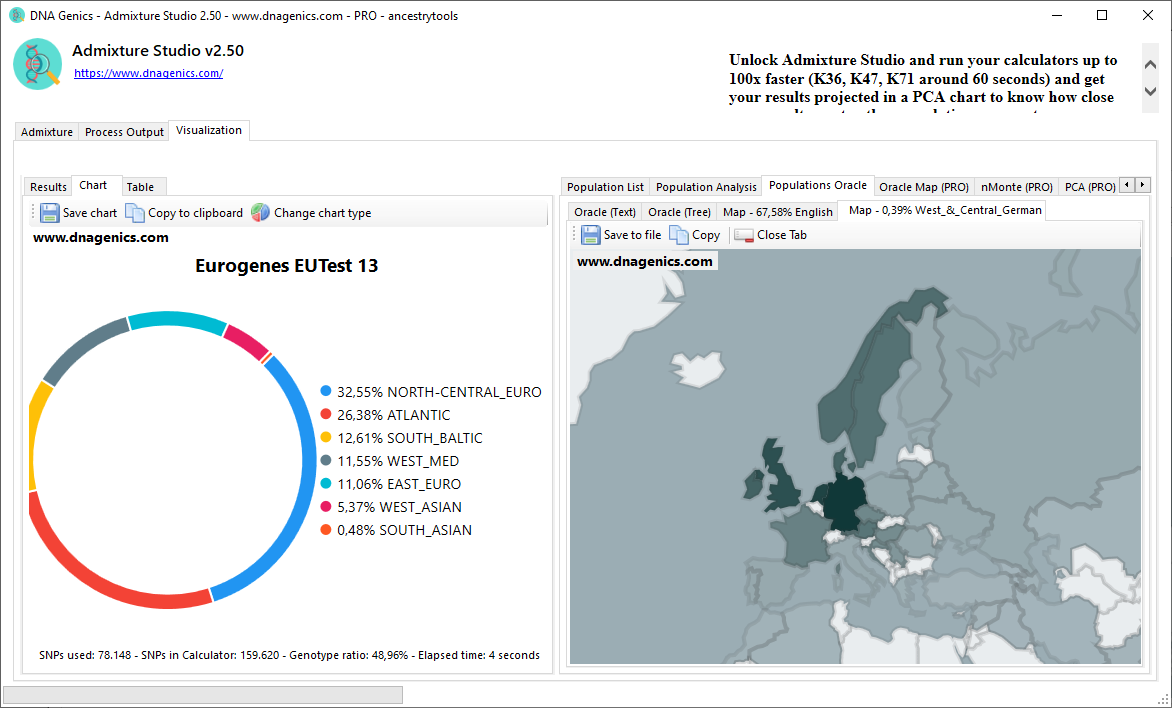
Ancestry Map
Visualize your genetic connections across the globe. Interactive maps show population distributions and regional ancestry signals.
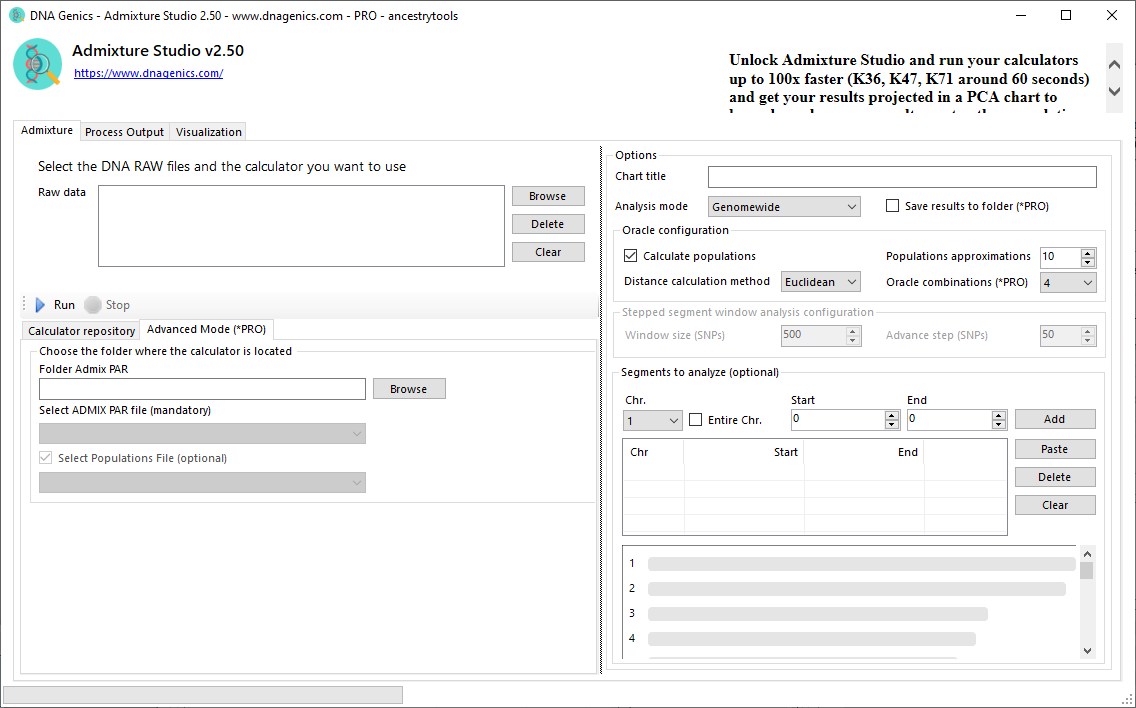
Admixture Bars
Clear bar charts present model component proportions. Compare patterns across multiple calculators and reference sets.
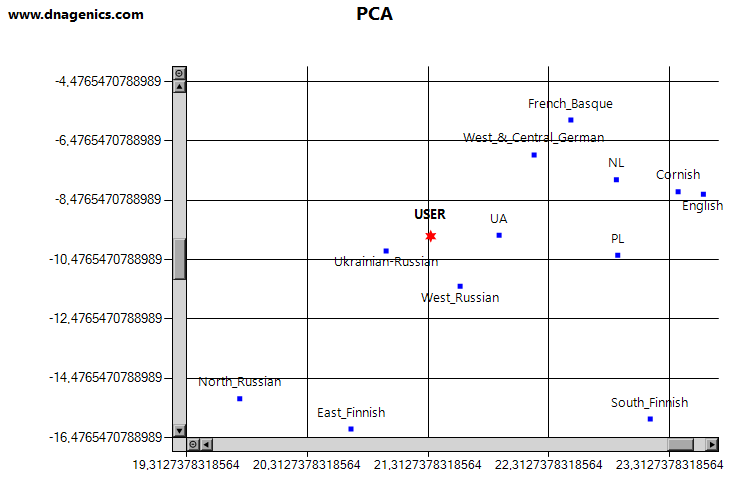
PCA Projections
See where your DNA clusters among world populations. Interactive scatter plots reveal genetic relationships at a glance.
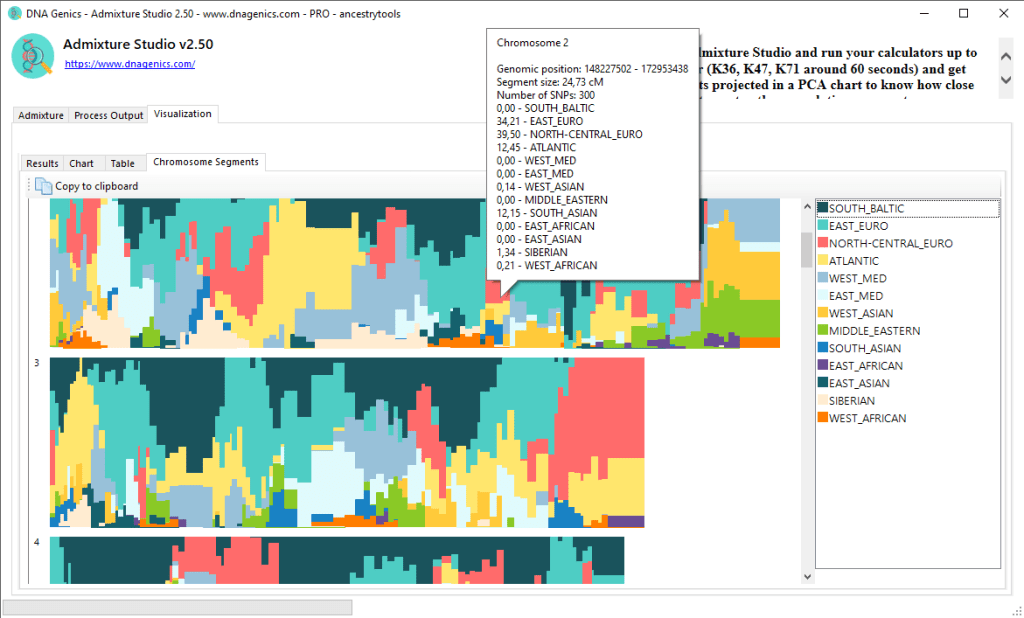
Chromosome Browser
Explore your DNA segment by segment. Color-coded chromosomes show which ancestry contributed to each region of your genome.
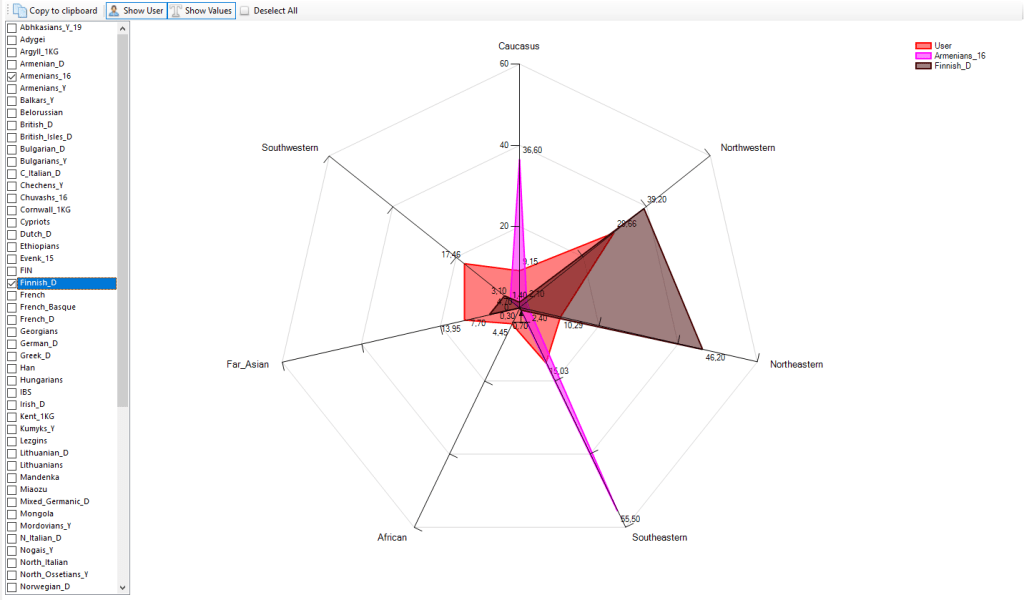
Population Comparisons
Radar charts visualize how your profile compares across population groups. Identify your closest genetic matches instantly.
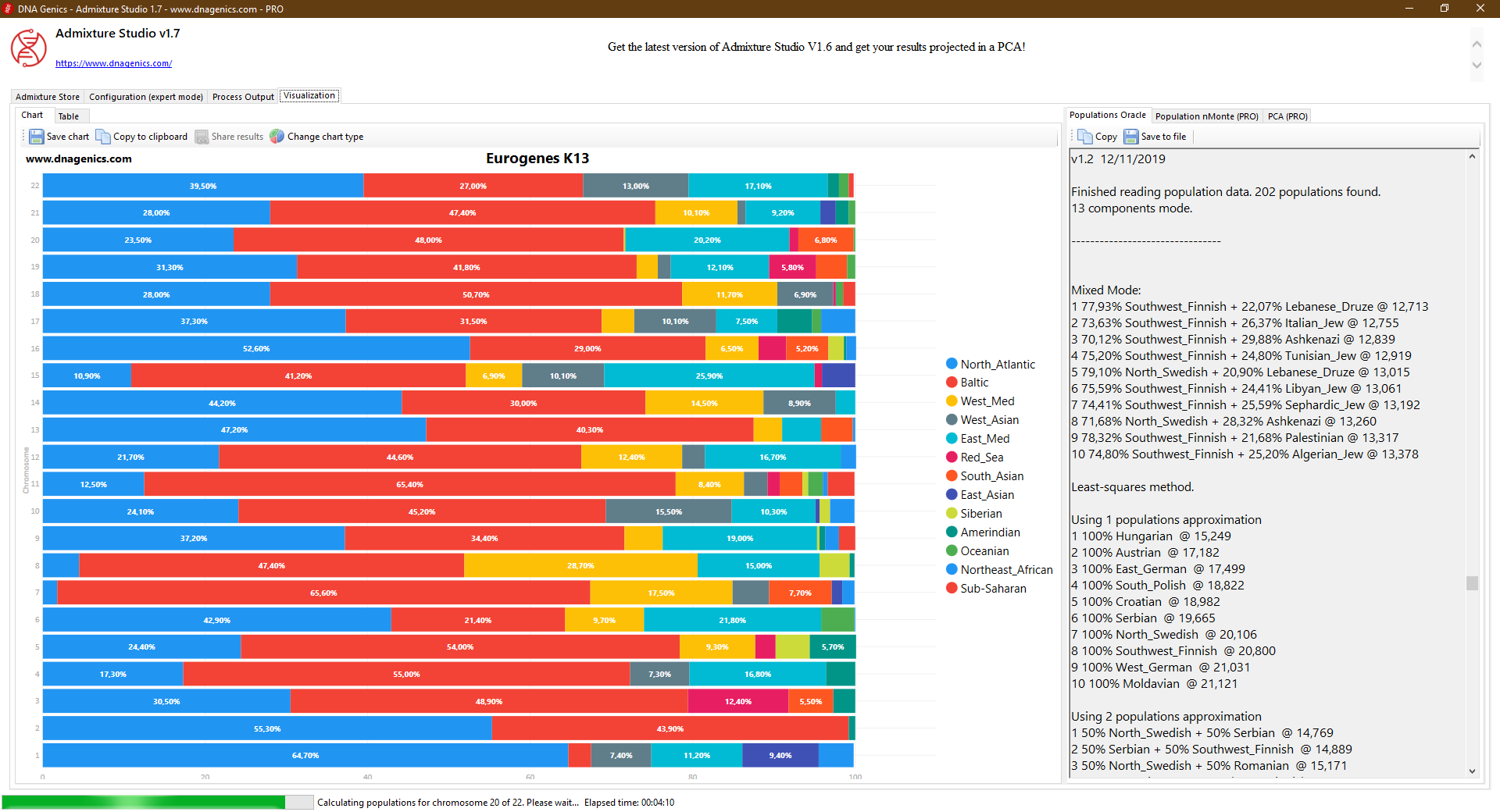
Detailed Analysis
Export comprehensive tables with all the data you need. Perfect for sharing, printing, or further analysis.
Tools that geneticists use.
Simplified for everyone.
Advanced genetic analysis features, accessible without needing a degree
PCA Projections
See where you cluster among world populations
Principal Component Analysis plots your genetic profile alongside reference populations. Watch as your DNA finds its place on a global genetic map.
PRO FeatureAncestor Predictions Calculations
Find your closest population matches
Ancestor Predictions finds reference populations and combinations that best approximate your profile under the selected model, ranked by genetic distance.
PRO FeatureChromosome Browser
Explore your DNA segment by segment
Color-coded chromosome visualizations show which ancestral populations contributed to different parts of your genome. Zoom in on specific regions of interest.
PRO FeatureMultiple Calculators
Run dozens of ancestry models in minutes
Access a growing library of ethnicity calculators from the genetics community. Each calculator offers a different perspective on your ancestry?run them all to find consistent patterns.
Free & PROPRO features unlock with a one-time purchase. No subscription required.
Your data stays yours
Built with privacy and transparency at its core
Offline Processing
Admixture Studio is a desktop application. Your DNA data is processed entirely on your computer and never uploaded to any server. No cloud, no sharing, no exceptions.
- Data stays on your machine
- No internet required for analysis
- Delete your data anytime
Transparent Methodology
We show what we know?and what we don't. Each calculator includes documentation about its reference populations, coverage, and limitations.
- Clear assumptions explained
- Reference populations documented
- Interpretation guidance included
System Requirements
Simple installation with everything included. No additional software or dependencies required.
- Windows 7, 8, 10, or 11
- 45 MB download
- Automatic updates
Take your ancestry analysis anywhere
Admixture Studio is now available on Android, with on-device analysis that keeps your DNA private
The same admixture estimation you trust, now in the palm of your hand. Import your raw DNA file directly on your Android device and explore your ancestry component charts wherever you are.
- On-device analysis: your raw DNA file is never uploaded for calculation
- Supports TXT, CSV, TSV, ZIP, and GZIP raw DNA file formats
- Ancestry component charts, percentage summaries, and downloadable reference models
- Previous results saved in encrypted local history
- Share summary charts without sharing your raw genotype data
 Free download, contains ads. In-app purchases available.

Admixture Studio for Android is for recreational and educational ancestry exploration only. Results are statistical estimates based on reference models. The app is not a medical device.
Ready to explore your ancestry?
Choose the option that fits your curiosity
Free Version
- Basic admixture calculations
- Multiple calculators
- Standard processing speed
- Offline privacy
- All DNA formats supported
PRO Version
- Everything in Free, plus:
- Up to 100x faster calculations
- PCA projections
- Ancestor Predictions calculations
- Chromosome browser
- Interactive geo-maps
- Batch processing
- Advanced exports
- Lifetime license
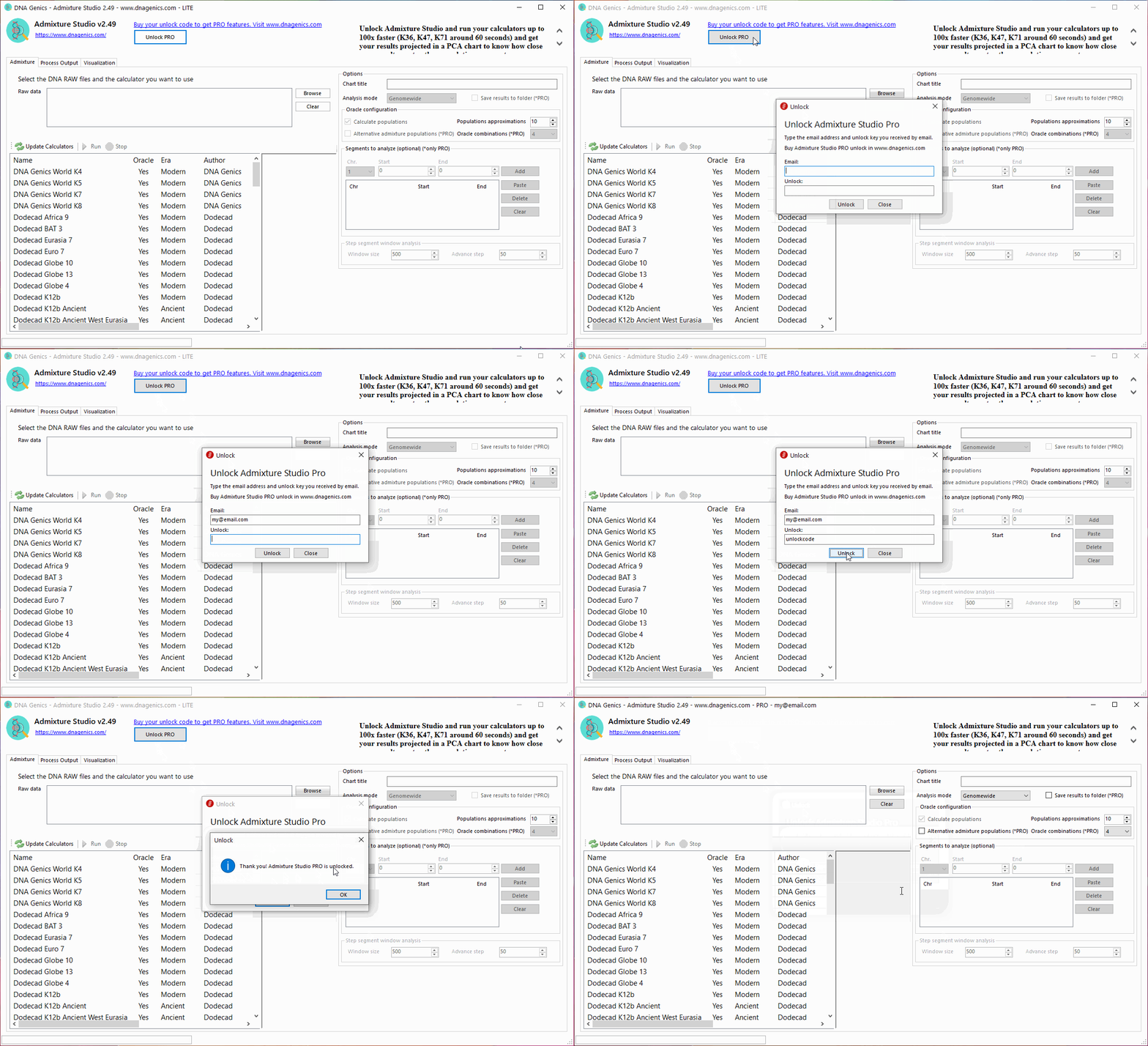
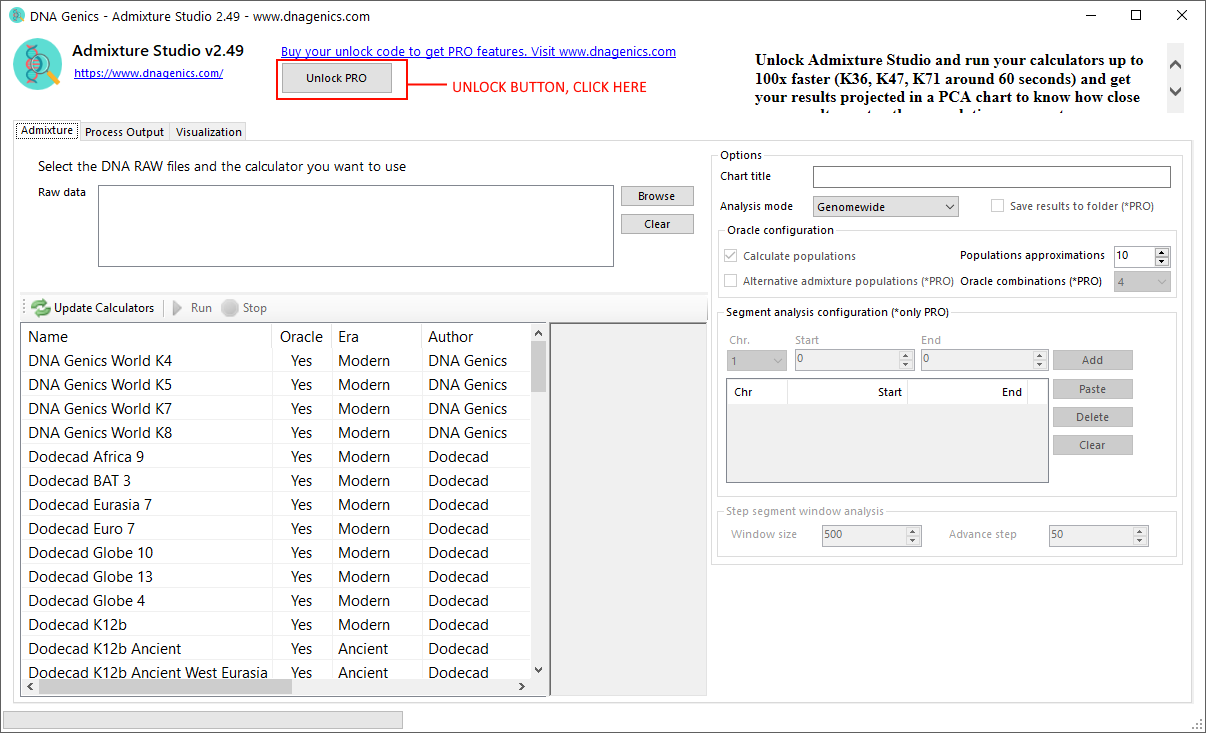
How to Unlock PRO
Frequently Asked Questions
What is genetic admixture analysis?
Genetic admixture analysis compares markers with selected reference populations to estimate a model of statistical genetic similarity.
What DNA file formats does Admixture Studio support?
Admixture Studio supports compatible raw DNA exports from major testing providers, including 23andMe, AncestryDNA, FamilyTreeDNA, MyHeritage, and Living DNA. Provider names describe compatibility only and do not imply affiliation or endorsement.
Does my DNA data stay private?
The Windows application processes imported DNA data locally on your computer. Review the application privacy information before using connected features.
What is PCA projection in DNA analysis?
Principal component analysis places samples and references in a lower-dimensional visualization so relative statistical genetic similarity can be inspected.
What are Ancestor Predictions?
Ancestor Predictions search for nearby reference populations or combinations under the selected model and distance settings.
How do I interpret small ancestry percentages?
Small components may reflect distant similarity, model limitations, reference choice, or statistical noise. Compare multiple appropriate models and interpret results cautiously.
What is the difference between Free and PRO versions?
The free version provides core admixture calculations. PRO adds faster processing, expanded modeling methods, PCA projections, chromosome tools, batch workflows, and interactive maps.
Can I compare multiple DNA samples?
PRO batch workflows can process and compare multiple compatible DNA files, including samples from family members.
What system requirements does Admixture Studio need?
Admixture Studio supports Windows 7 or later and includes the components needed by the installer.
How often are calculators updated?
Calculators and reference datasets may be updated as methods and source data evolve. Available updates are announced through the application and product channels.
Start your genetic odyssey
Get results you can understand, visualize, and share.